
Proof of payment, without the receipt
Lost a receipt? Create proof of payment for your expense report.
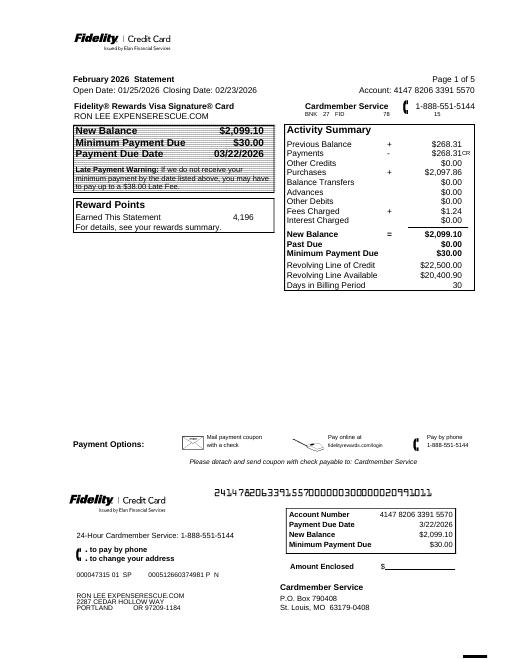
Drop your credit card or bank statement here and select the transaction you need. We redact unrelated transactions and personal financial information, and produce a clean PDF you can attach to your reimbursement request.
Total business expenses US employees front out of pocket every year.
Source: Conferma Insight Report 2025
Reimbursable business expenses US workers leave unclaimed each year, with lost and missing receipts among the reasons.
Study estimate: Unit4-commissioned survey of ~2,000 employees, 2015. See the numbers
Redaction happens in your browser · No account required · Original transaction never altered
Drop Statement Here to Redact
PDF only · runs in your browser · nothing is uploaded
Three steps, about a minute
The same thing finance departments ask for — a statement showing the charge, with everything else removed.
Upload your statement
PDF or screenshot from your card issuer or bank. Nothing is stored after you download.
Select the transaction
Click the one line you are claiming. Everything else is marked for redaction automatically.
Download a clean PDF
Account number, balances, address and unrelated lines are permanently blacked out — not just hidden.
Drop Statement Here to Redact
Drop in your statement, click the transaction you are claiming, and download a clean proof of payment. Everything runs in your browser.
A redacted proof of payment — not a replacement receipt
Nothing is fabricated. The charge on your statement is the original record; we only cover what your employer has no business seeing. Several universities and finance policies explicitly instruct employees to remove account numbers, addresses, balances and unrelated transactions before attaching a statement.
Policies differ. Some organizations accept a statement on its own, some require it alongside a missing receipt affidavit, and some require an itemized receipt for certain expense types. The guides below cover each case.
How to Submit an Expense Report Without a Receipt
The step-by-step fallback path when the receipt is gone for good.
How to Redact a Credit Card Statement for Reimbursement
When a statement counts as proof of payment, what to include, and what to black out.
How to Redact a Bank Statement for Reimbursement
Running balances, salary deposits, and routing numbers — what to show and what to hide.
Missing Receipt Affidavit: Template and What to Attach
A ready-to-use affidavit template plus what to attach so finance approves it faster.
Lost a Receipt in Concur? What to Submit
Missing Receipt Declaration plus a redacted proof of payment.
IRS Receipt Requirements for Small Businesses
The $75 rule, retention periods, and fixing gaps in QuickBooks.
How Much Money Is Lost in Unclaimed Expenses Every Year?
The $9.7B estimate, where it comes from, and what it really measures.
How Expense Rescue Works: Privacy, Security & Technology
Browser-only redaction, how the PDF is read, and why the output is truly flattened.
How Much Time Does Expense Rescue Save?
The print-scan-sharpie loop takes about 40 minutes. Expense Rescue takes about 7.
Common questions
- Can I use a credit card statement instead of a receipt?
- Often, yes — as supporting proof of payment showing merchant, date and amount. Many employers pair it with a missing receipt declaration. It usually will not satisfy requirements that call for an itemized receipt, such as meals with alcohol or per-attendee breakdowns.
- What has to be blacked out?
- Your full account number, home address, balances and credit limit, and every transaction other than the one you are claiming.
- Is highlighting and blurring in a screenshot enough?
- Blurring can sometimes be reversed, and PDF annotation tools often leave the original text selectable underneath. A proper redaction removes the underlying content rather than covering it visually.
Ready to submit yours?
Get a clean, single-transaction proof of payment in under a minute.
Redact my statement